Collaborative legal AI: Lawyers and their AI models,
around one case file.
Lexcordia brings the firm and its AI models together in the case file: colleagues exchange, the AI models answer and review, the memo is written jointly. Everyone sees only what concerns them.
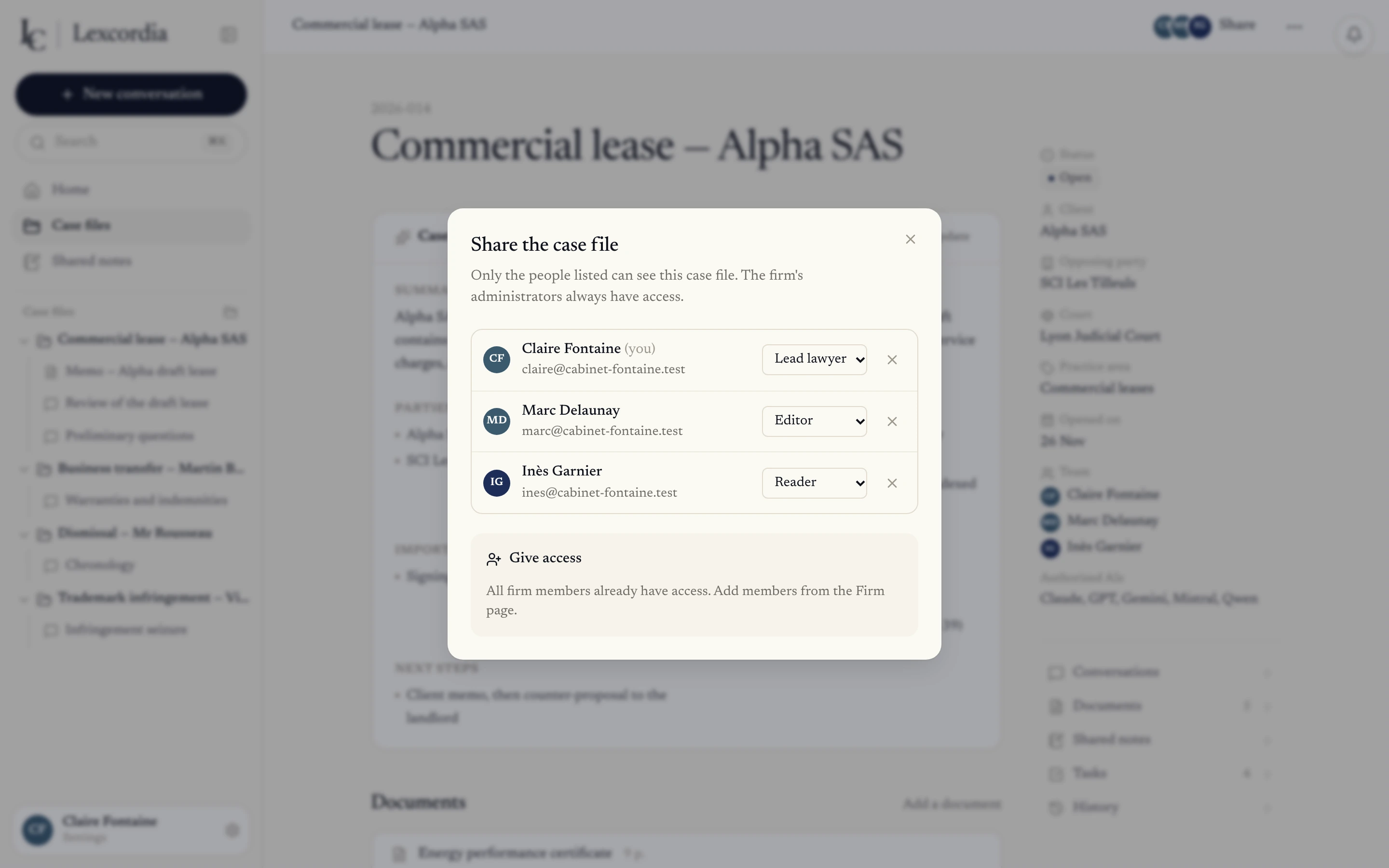
Permissions per case file
Owner, editor or viewer: each member has a role. The case file appears only to those invited; the firm's administrators always have access.
Exchanges between colleagues
An @ is enough to bring a colleague into the conversation. Each conversation stays between its participants.
A jointly written memo
Lawyers and AI models draft the same note. Every version is kept and can be restored; a lawyer approves the final one.
Documents
Numbered and versioned; every access leaves a trace.
Shared work
One task, one colleague, one deadline. The AI models propose a plan; what needs a lawyer is flagged.
At the office or remotely
On a Mac, Lexcordia works on its own. With several people on different computers, it runs through the firm's own server, from the app or a simple browser.
Questions about working together
What is collaborative AI for lawyers?
A workspace where lawyers work together, and with their AI models, on the same case file: exchanges, documents, notes and tasks in one place, with permissions for each member.
Can a colleague be added to a single case file?
Yes. Each case file has its own members and permissions: owner, editor or viewer. It appears only to them; guests have limited rights.
Do conversations stay private?
Yes: each conversation stays between its participants, and an AI only sees its conversation and the documents shared with it.
Is a server needed to work together?
Not to work alone on a Mac. To work together on different computers, yes: the firm uses its own server.
Let's see whether Lexcordia suits your team.
A demo on a fictitious case file, built around your questions.
Request a demo